Captains Log

July 29th 2026
Cloudfare...
I don't recall if I have mentioned it before, but I use cloudflare to host my website. I did so at the advice of a friend and co-worker of mine who suggested it. He is likely one of the smartest people I have ever met and I trust his judgement. But oh man oh man do I hate it!
I think the problem is that I don't need or want a suite of automated workers and AI to make my site function. I also don't want a drag and drop interface for building my site. I want to code and write it myself. I want to troubleshoot the html and css. I want to get frustrated with the layout and make small changes until I realize I did something stupid like forget a semi-colon. Supposedly Cloudflare has a way of doing this, but once you upload a static site, you cannot go back and change the files, you can only re-upload, which would be fine, if I could fucking figure out how!
The other problem I have is that all the documentation pushes you toward their automation tools. Which I already stated I don't fucking want! So when I'm trying to find a solution, but all the documentation leads you to use a tool that you have to study presumably for an extensive period of time to even learn to use, let alone master, it just makes my blood boil!
Additionally there are youtube videos, but it seems like Cloudflare updated their site recently, because all the videos show an outdated UI, that frankly looks better and easier to navigate than the shit it has now. So when I do finally find something the UI is outdated, and if it's about adding your own html and css files it only references the free pages that cloudflare lets you make. There is no easily searchable video on how to make a page and tie it to a domain that you already own.
This page, which I wrote myself and then uplaoded to GitHub is managed by GitHub and as far as I can tell all that CloudFlare is doing is copying it from there and then pushing it to my domain. Some of the problem I admit is likely because I don't know how to word what it is I'm trying to do, but for fucks sake why does it have to feel like pulling teeth to figure out? Which leads me to my next point...
Bought domain - mike-richardson.us
When writing this I have become frustrated with CloudFlare so I got sidetracked and wanted to look into moving it to infinityfree. Which is the first site I managed that wasn't in github. I like the uplaod interface and the easability of use. I don't have to be an expert in their interface, it's laid out in a way that makes sense and is easy to navigate. This is the perfect example of why I'm frustated with CloudFlare though. I found a document on infinityfree that showed how to export a domain from a competitor to them. It's generic, I know, but I thought it would be close enough. The document says to go to the domain naming and change it to infinityfree. I spent about 30 mintues looking for that feature on CloudFlare. I used the search and AI. I COULD NOT FIND IT
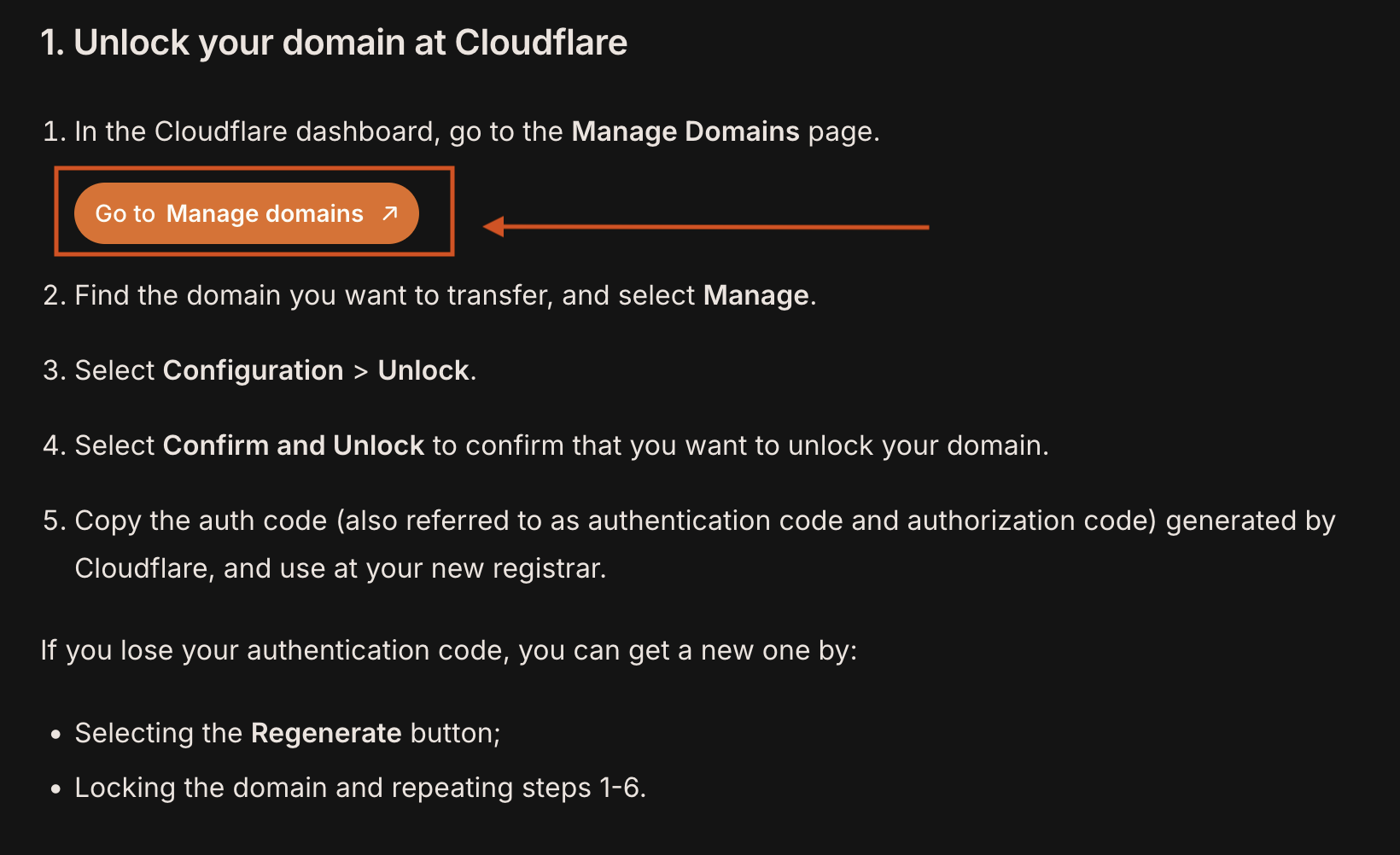
So then I search CloudFlares documentation. Of course nearly all the documentation they have about migrating domains is how to migrate them to CloudFlare, not out. So another 30 minutes or so and I finally find a document (see photo to the left, or above if you are viewing this on a phone). If you look at the documentation it says to click on manage domains and then select manage.
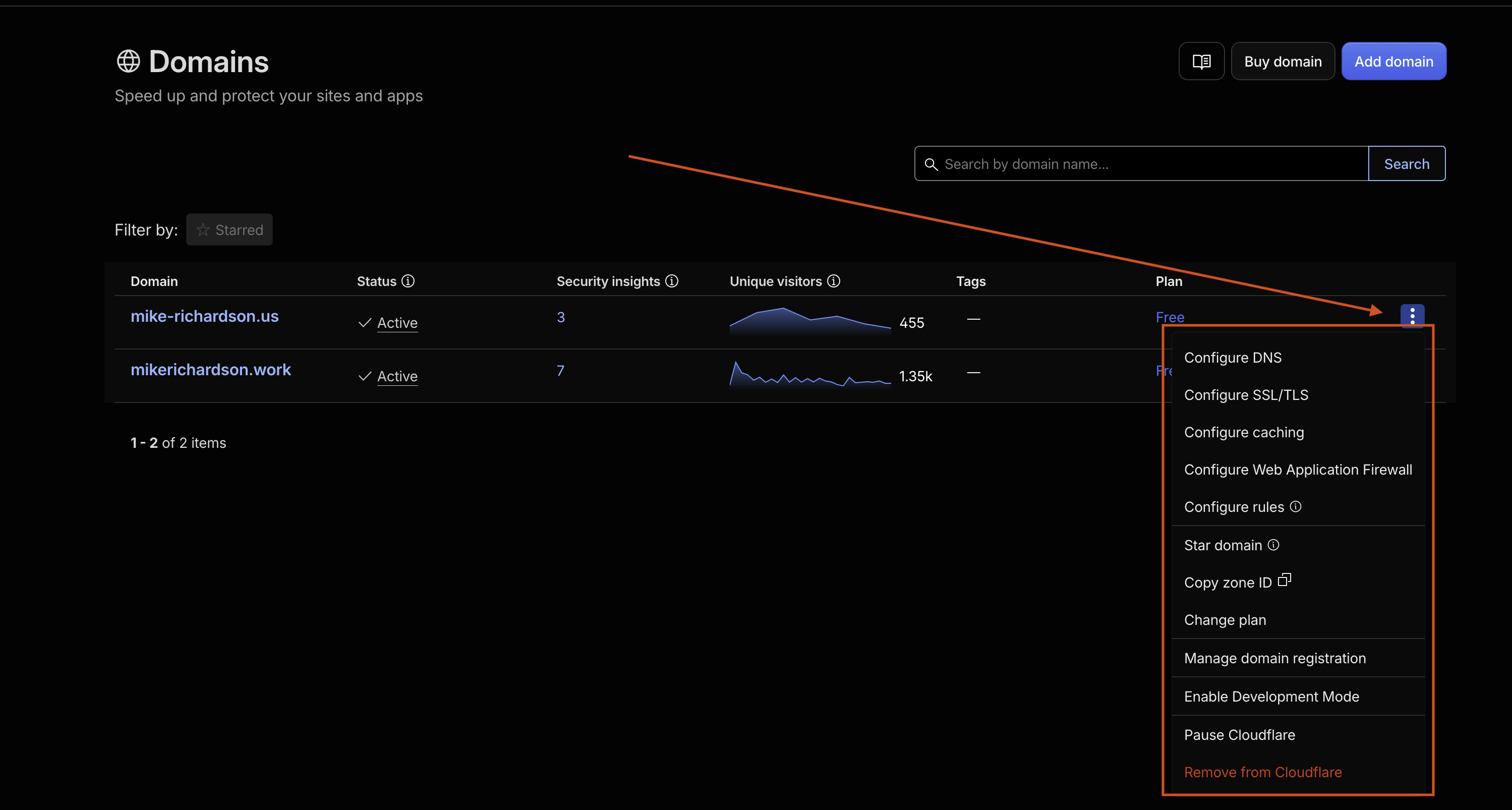
The problem is if you click on their link you don't actually have a manage button. You have a menu (signified by the thee dots to the right of the domain), but it too does not have a "Manage" option. It does have a "Manage domain registration", which I guess isn't too large a leap to make, but it's not some Rando's explanation, this is from the company that wants my money!
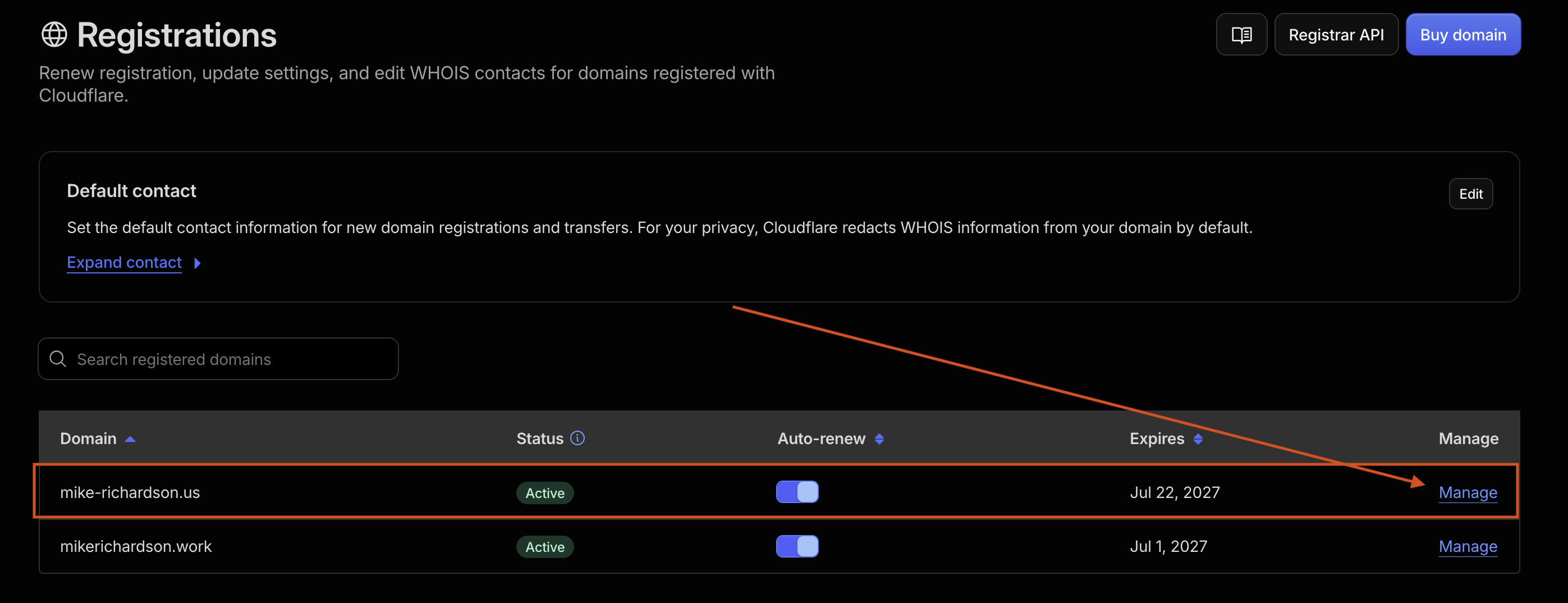
If you click the "Manage domain registration" button you will be taken to a page that finally does have a "Manage" option (see lower left photo). From there I was thinking great, now I should be able to follow the instructions. NOPE!
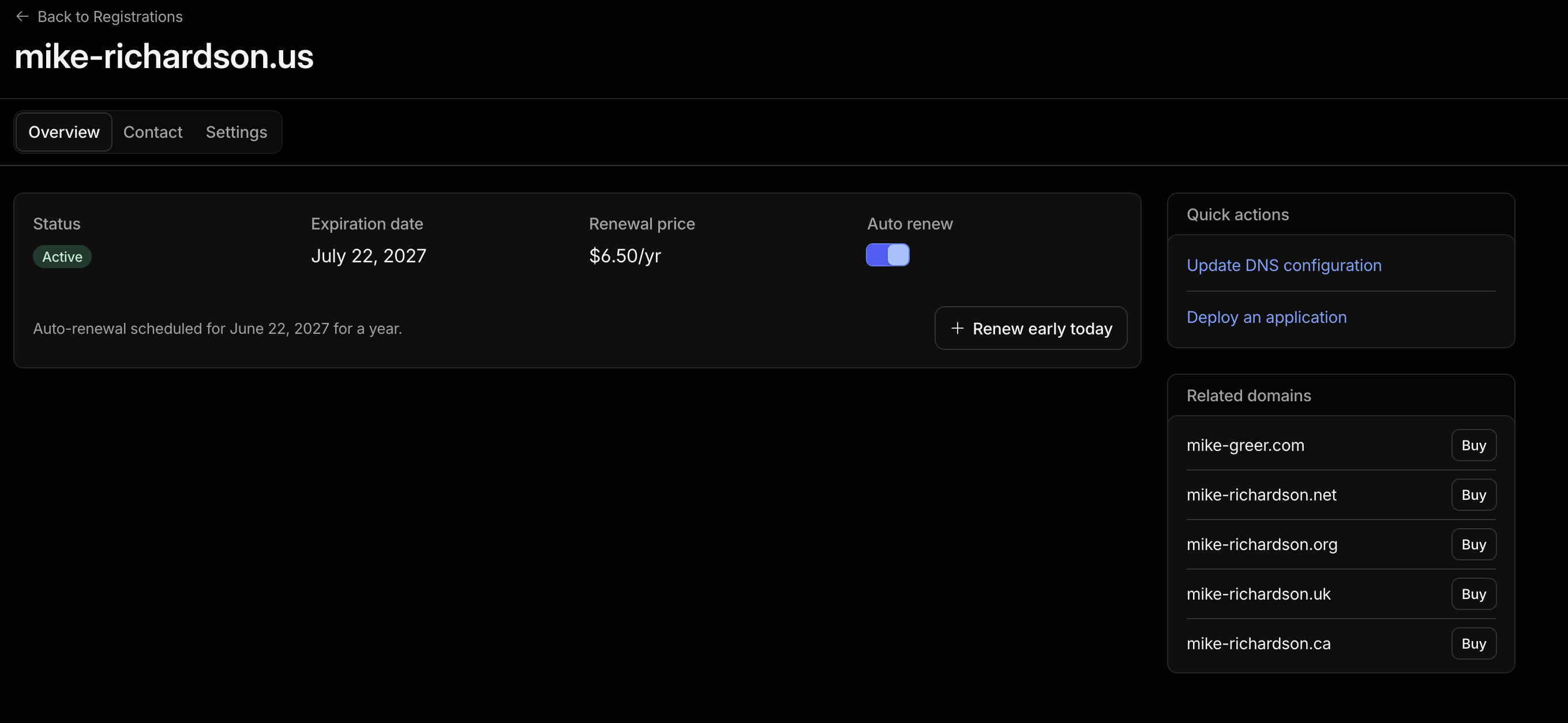
The instructions say tot click "Configuration > Unlock". I put the third photo below that says "mike-richardson.us" and you can see there is no configuration button. So once again the CloudFlare documentation is outdated at best, but objectively not helpful at all. It's so frustrating and I genuinly don't understand why it's so hard to provide relevant information.
In clicking around under settings I found an option to "Transfer to another registrar" option. It's greyed out and I can't make it clickable. When I google that I find myself in a circle of frustration and ineptness on CloudFlares behalf as it takes me back to the original documentation.
This may make me sound like a curmudgen or an unwilling IT Professional, but this is so frustrating I'm led to one thought..
FUCK CLOUDFLARE
Seems like the perfect example of how things are just shittier than they need to be.